Form configuration
Control how much billing information the form collects.
The Hosted Payment Form supports configuration options that allow you to customize its appearance and behavior. Use the formConfig object in your API requests to control how the payment form collects billing information.
Billing information capture levels
The billingInfoCaptureLevel property controls how much billing information is collected from the customer. There are two options:
Full(default) - Collects complete billing address including street address, city, state, country, and ZIP/postal code. This is the fallback when neither the request nor the payment method supplies a default.Minimal- Collects the country and ZIP/postal code in a compact layout below the card fields.
When the resolved billingInfoCaptureLevel is Full, the form displays complete billing address fields:
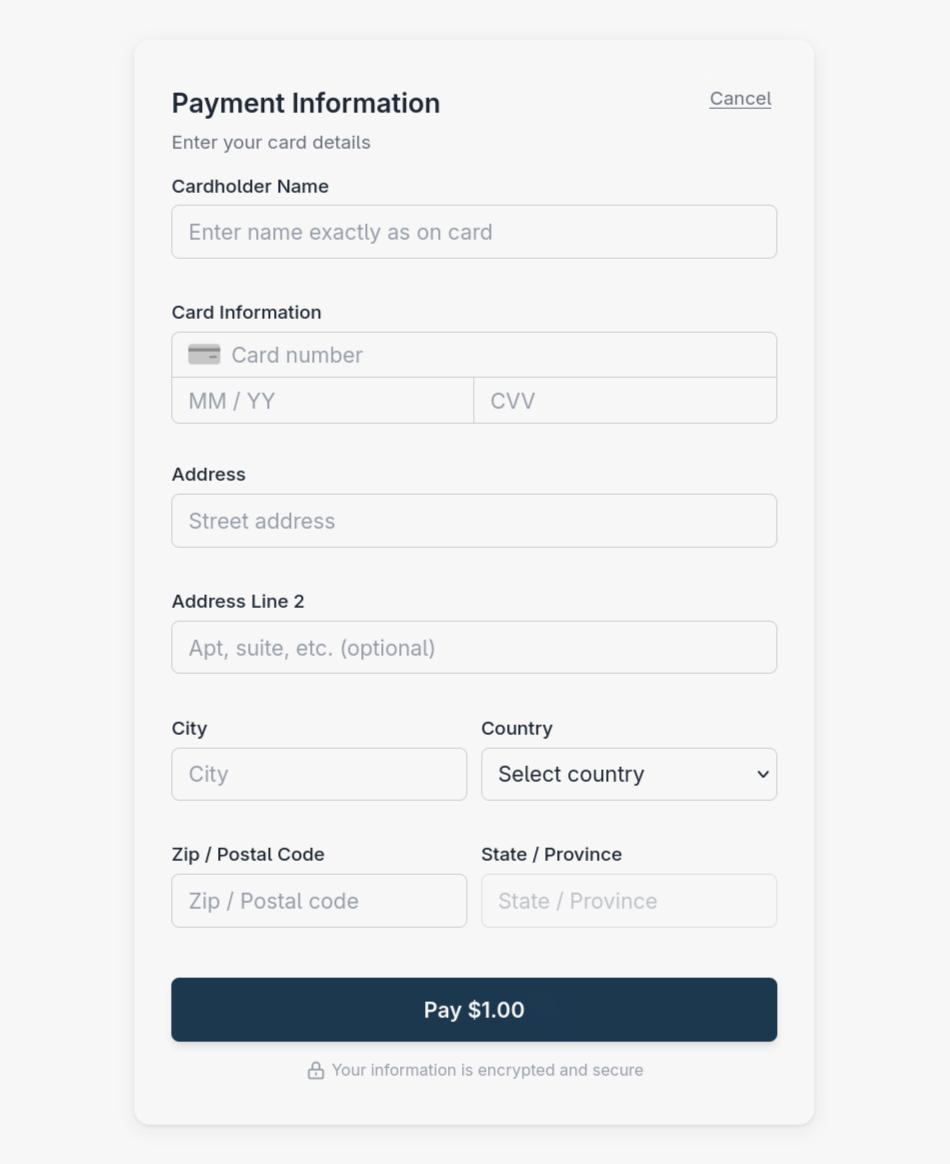
Full billing mode collects complete address information.
When billingInfoCaptureLevel is set to Minimal, the form displays country and ZIP/postal code fields below the card fields:
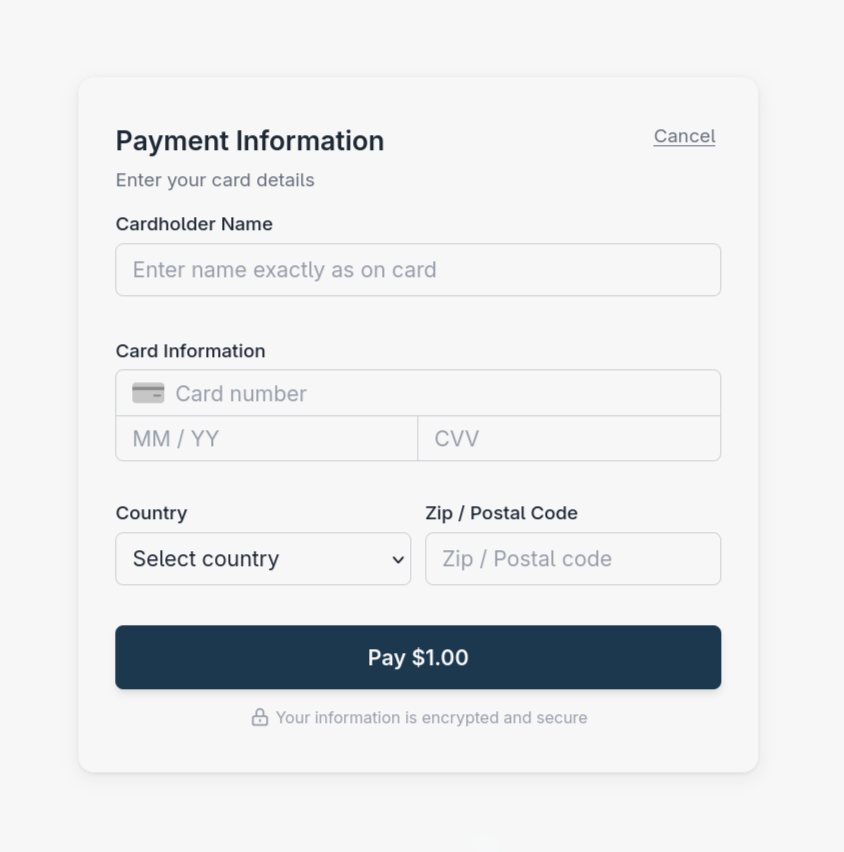
Minimal billing mode collects country and ZIP or postal code.
This compact form is ideal for scenarios where:
- You want to minimize friction in the checkout process
- Full address information is not required for your business needs
- You are processing card-not-present transactions where basic AVS (ZIP code) verification is sufficient
Usage example
Include the formConfig object in your request to customize the form. If you send this object, billingInfoCaptureLevel is required. If you omit the object, the payment method defaults apply. Omitted optional fields inherit those defaults:
{
  "amount": 1000,
  "paymentMethodId": "pmt_vrt_01JRZPTWS99Z7RB57Q1CVWSWDS",
  "invoiceNumber": "inv_12345",
  "formConfig": {
    "billingInfoCaptureLevel": "Minimal"
  }
}
ACH payment method restrictions
Important: ACH payment methods always require full billing information. The Minimal billing capture level is not supported for ACH transactions. If you attempt to use billingInfoCaptureLevel: Minimal with an ACH payment method, the request will be rejected with a validation error.
Full billing information is required for both Personal Account and Business Account. The account holder toggle appears automatically in ACH sessions and defaults to Personal Account. The customer makes this selection in the form; formConfig has no property to preset it.
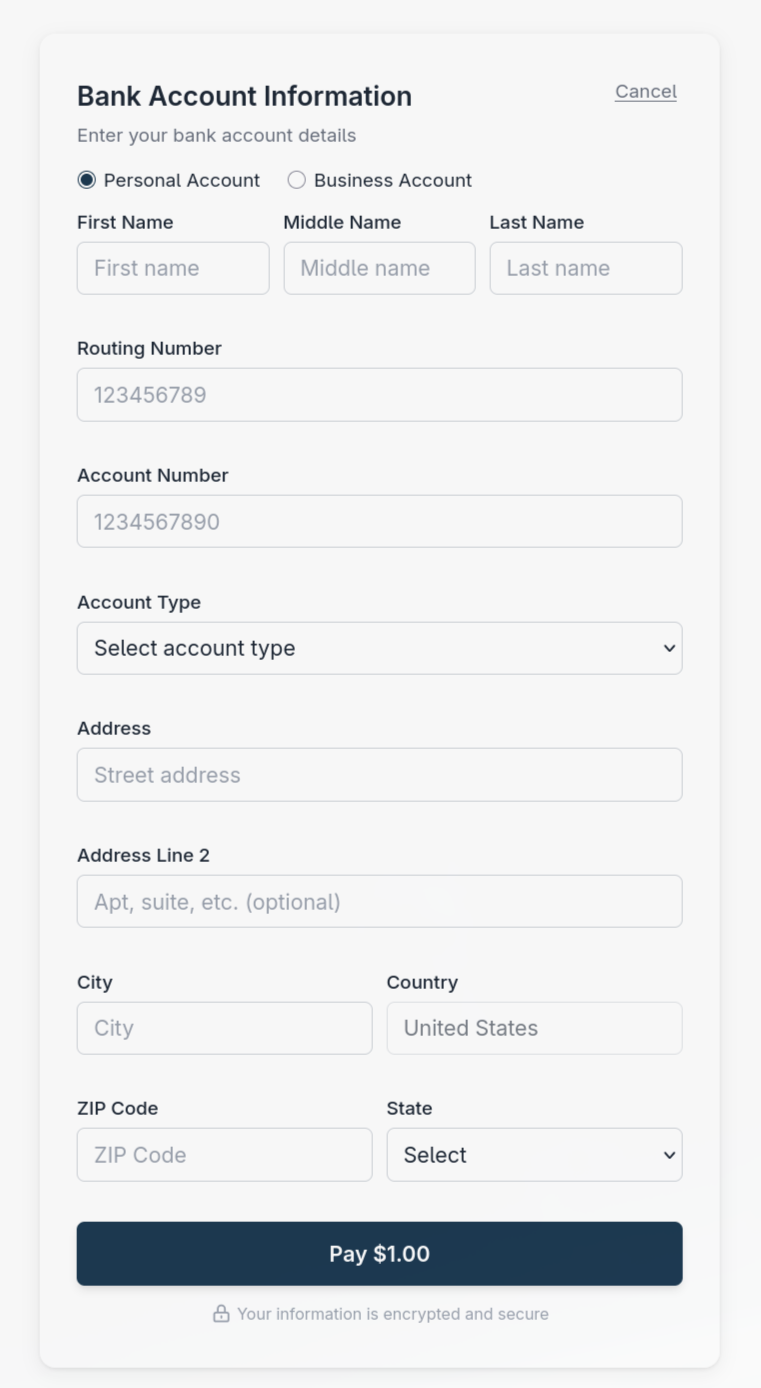
ACH sessions collect bank account details and a full US billing address.
Form configuration properties
| Property | Type | Default | Description |
|---|---|---|---|
billingInfoCaptureLevel |
string | Required when the object is supplied | Controls billing information collection. Values: Full, Minimal |
piiFields |
string array | Payment method default | Additional contact fields: Email, Phone. Send [] to request neither. |
enable3DSecure |
boolean | Payment method default, otherwise false |
Opts into 3D Secure (3DS2) cardholder authentication. Shifts chargeback liability for successfully authenticated transactions to the issuer. |
enable3DSecure has its own page - see 3D Secure.