Configuring endpoints
Self-service endpoint management in the webhook portal: endpoints, subscriptions, signing secrets, rotation, retries, and replays.
Svix webhooks are invite only. This page applies once Svix is enabled for your account - see Requesting access. Legacy endpoints are configured through support instead; see Configuring endpoints for legacy webhooks.
Endpoints are managed from the webhook portal, reached from the partner portal (see Where the portal is). From there you can:
- Add one or more endpoint URLs
- Choose the event types each endpoint subscribes to
- Inspect delivery attempts
- Replay failed messages
Each endpoint has its own signing secret (prefixed whsec_), shown in the portal.
Signing secrets
The signing secret is what makes signature verification possible, and it is the only thing standing between your handler and a forged event.
Treat the signing secret exactly as you treat your API key: store it in a secrets manager, never in source control, never in client-side code, and never in a log line. Each endpoint has its own secret, so a compromised secret can be rotated for that endpoint alone.
Secret rotation is supported without downtime. While a rotation is in progress, deliveries may carry multiple signatures in the svix-signature header, and a payload is valid if any of them matches. Verifying with an official Svix library handles this for you.
Choosing subscriptions per endpoint
Each event type is separate, and each endpoint independently chooses which types it subscribes to. Subscribe only to what you handle - an endpoint signed up for events it ignores still counts as a delivery, and failures against it can contribute to the endpoint being disabled automatically.
A common pattern is one endpoint per concern: one for transaction events feeding your order system, another for merchant lifecycle events feeding your onboarding workflow.
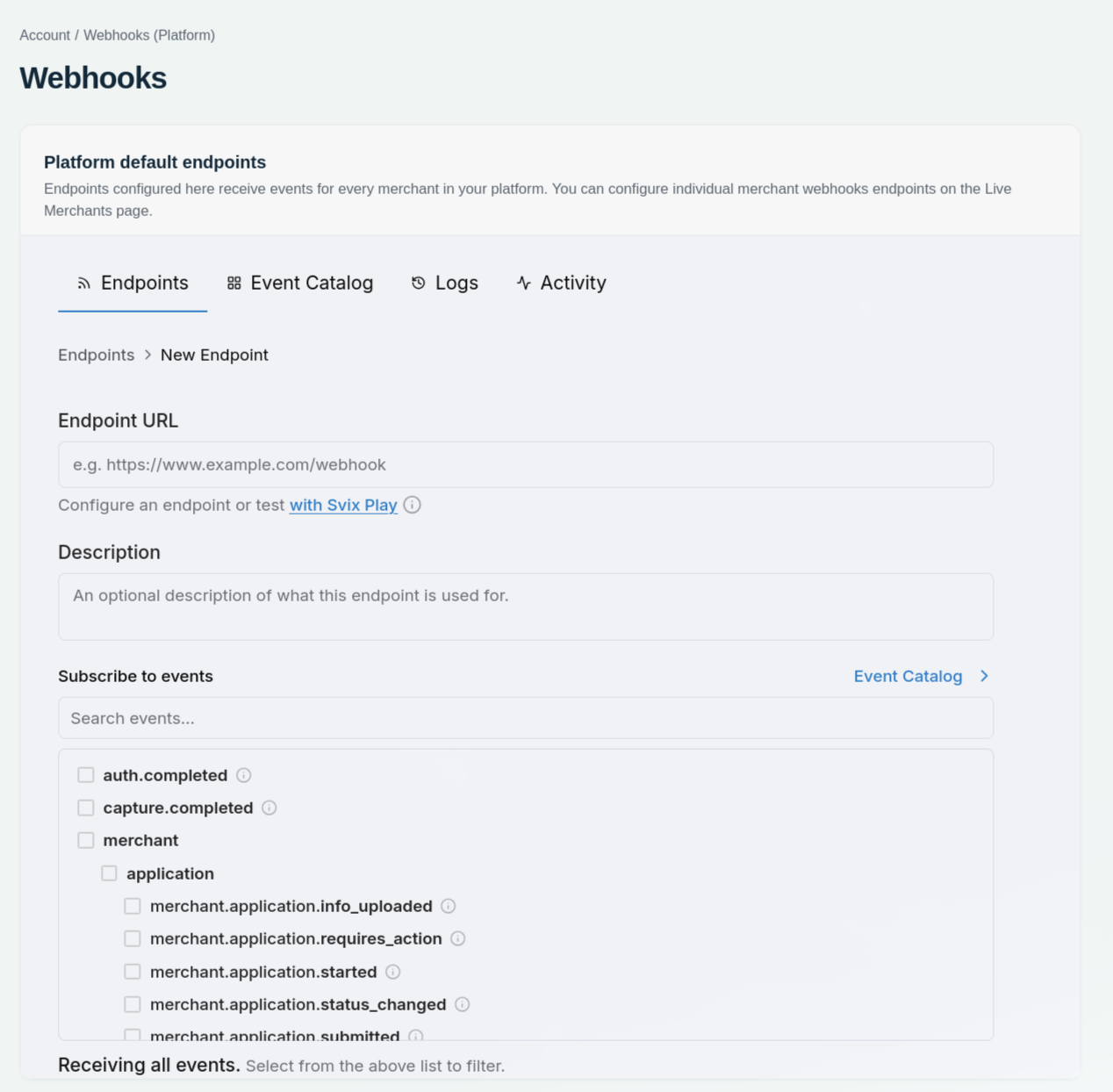
Enter the endpoint URL and select the event types it should receive.
Retries and replays
When a delivery fails, Svix retries it automatically on an exponential backoff schedule over roughly the following day. Endpoints that keep failing may be disabled automatically.
Failed deliveries can be inspected and replayed manually from the portal, which is the recommended recovery path after an outage on your side - you do not need to ask support to resend.
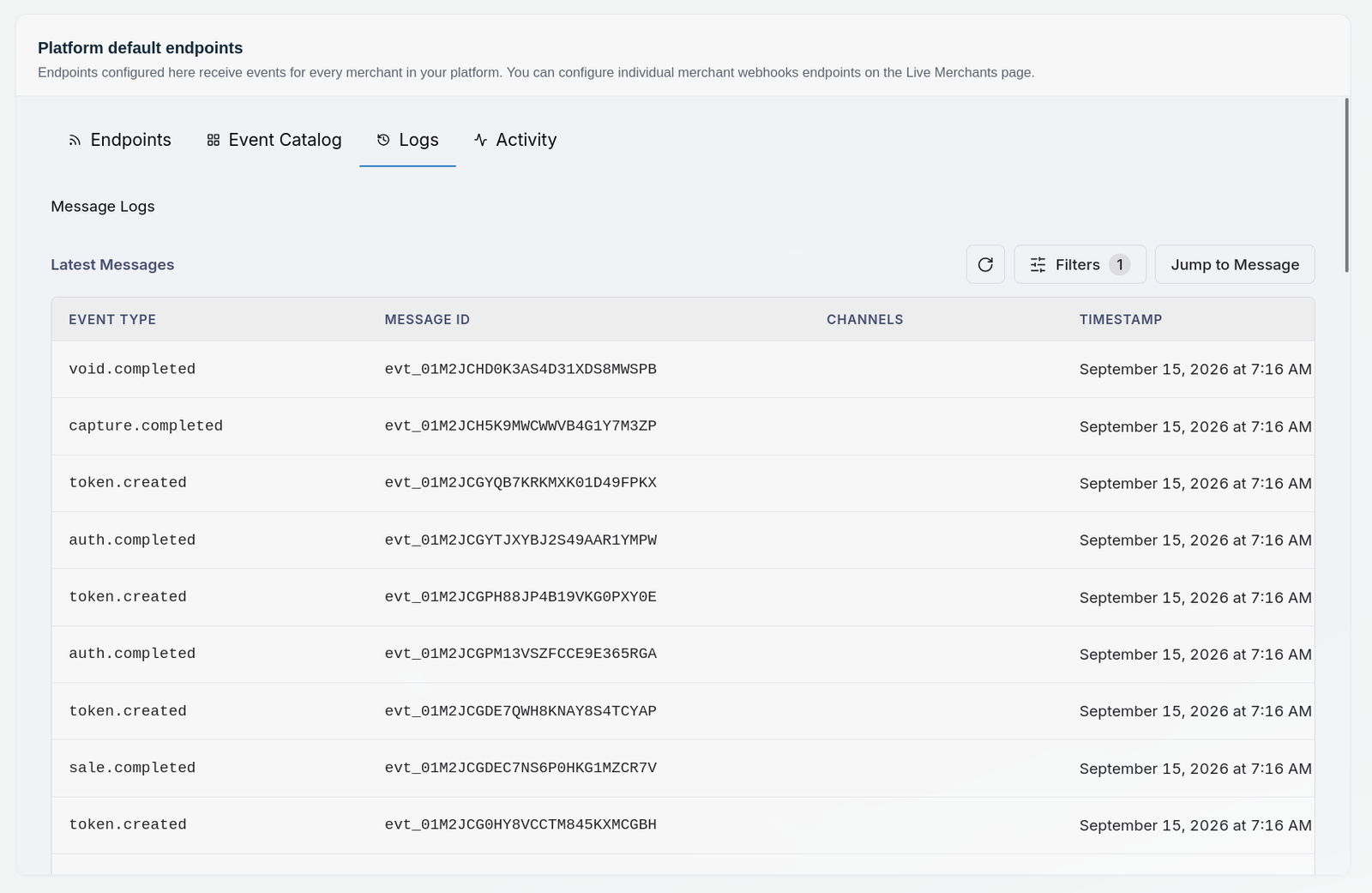
Use the message log to find a webhook event.
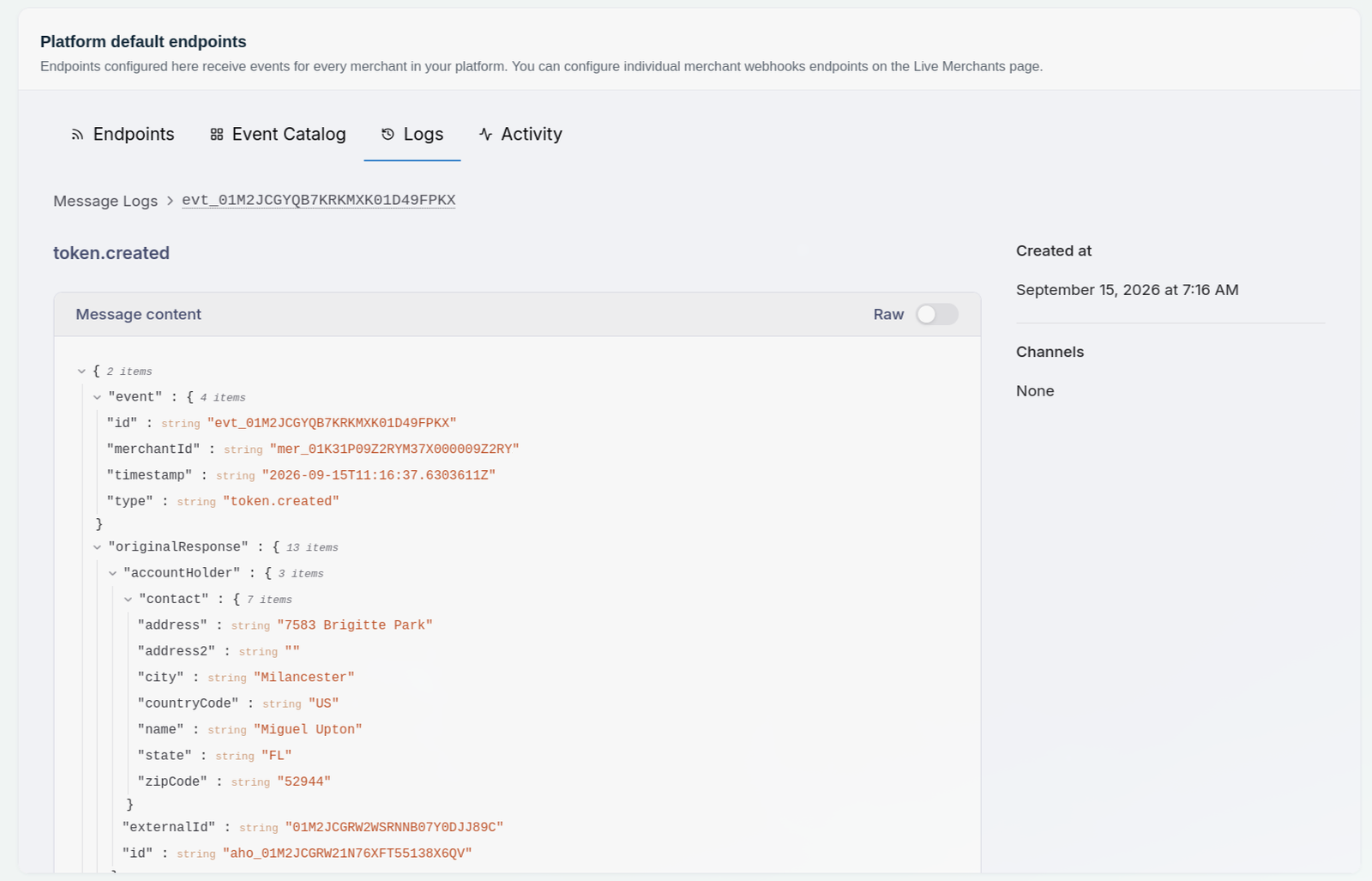
Open a message to inspect its event data.
Requirements for your endpoint
- Reachable over HTTPS from the public internet
- Returns a
2xxpromptly - do slow work asynchronously - Idempotent, because retries, replays, and dual delivery while you move from legacy mean an event can arrive more than once; deduplicate on
event.id - Verifies the signature before doing anything else
If you need to reconcile without waiting for a replay, GET /transactions gives you the current state of any transaction directly.